One home instead of many subscriptions.
The self-hosted family planner: tasks, calendar, budget and shopping on a server you own. For a family, a couple, or just you.
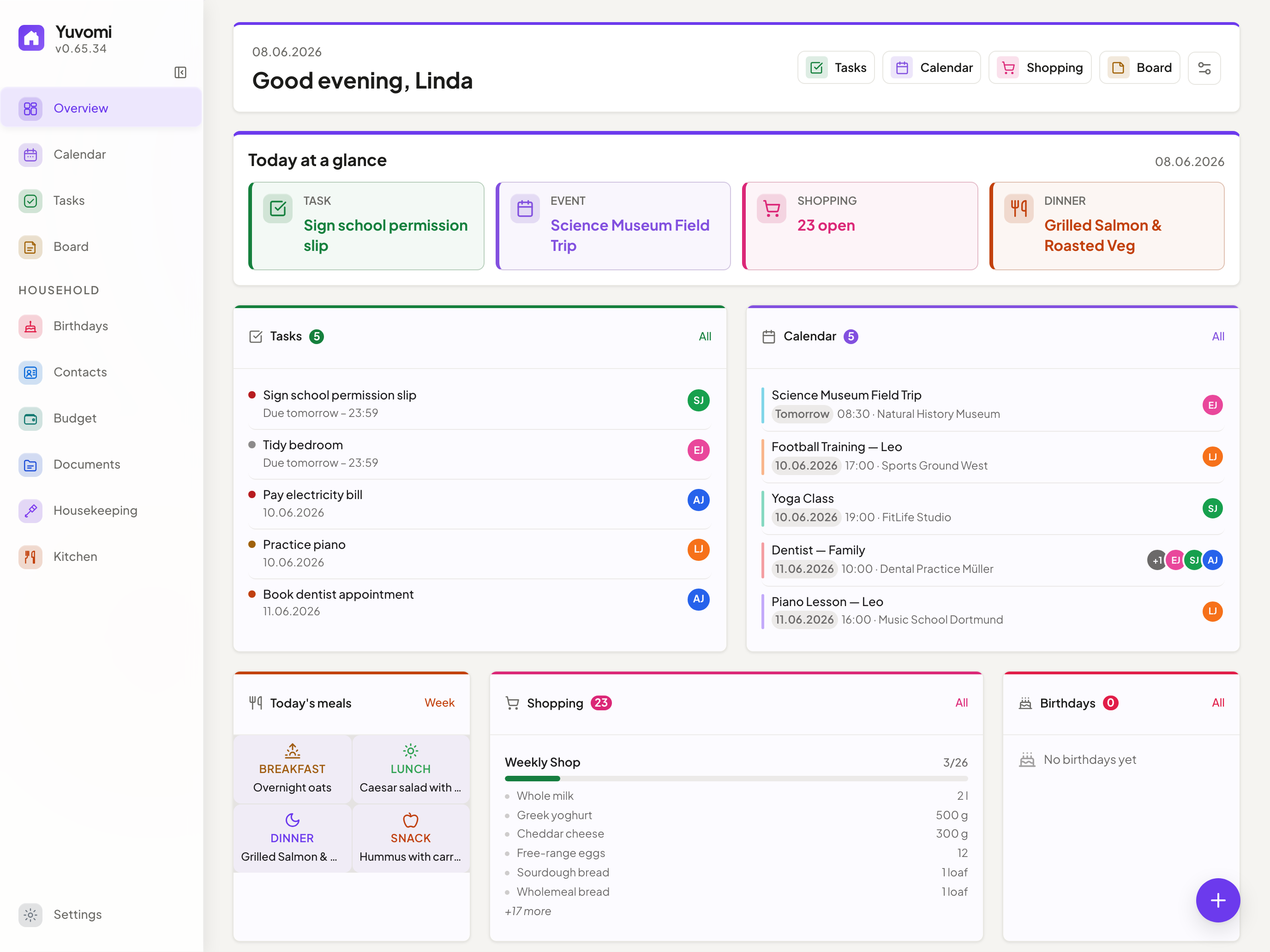
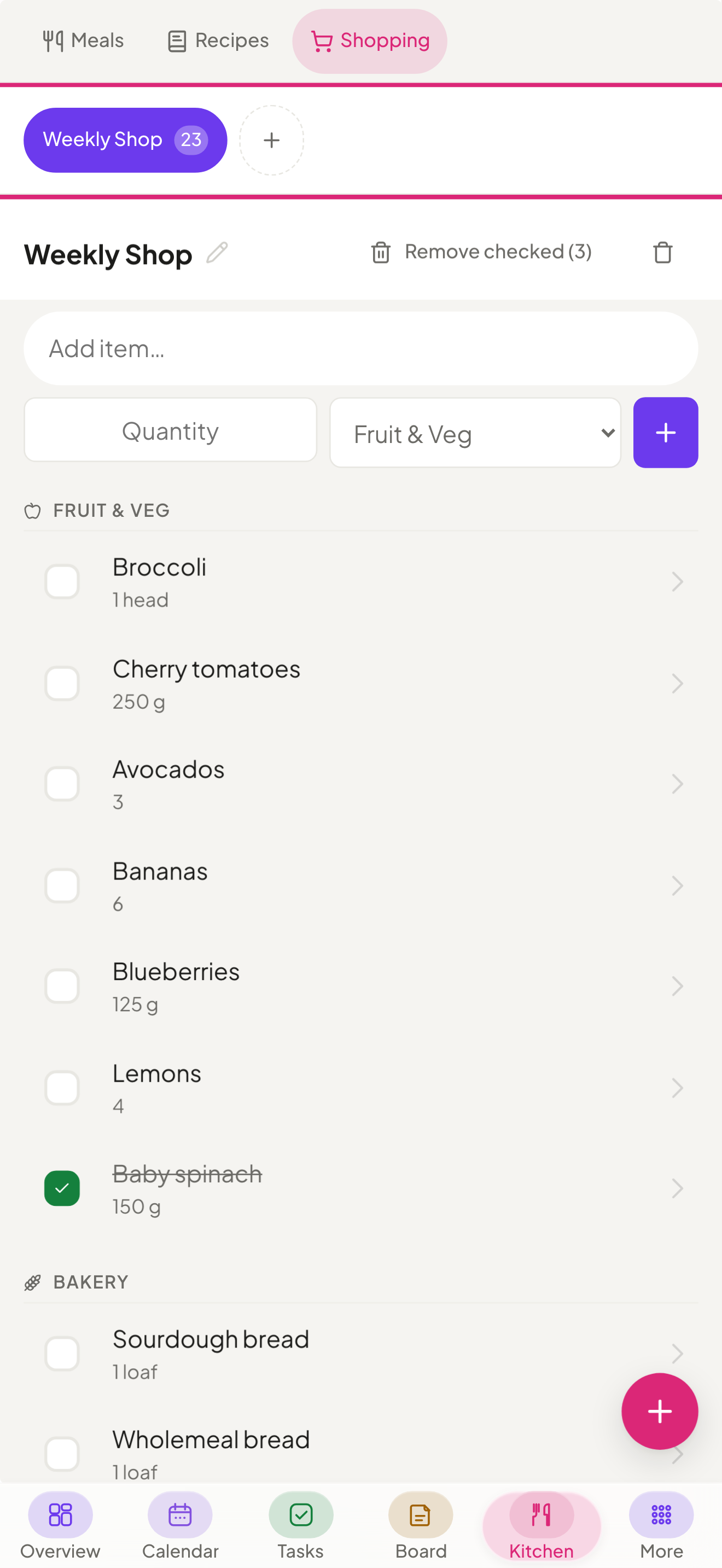
Your family’s plans, at a glance.
No demo account, no sales call. The screens your family opens every day, at the size you will actually use them. The rest are further down.
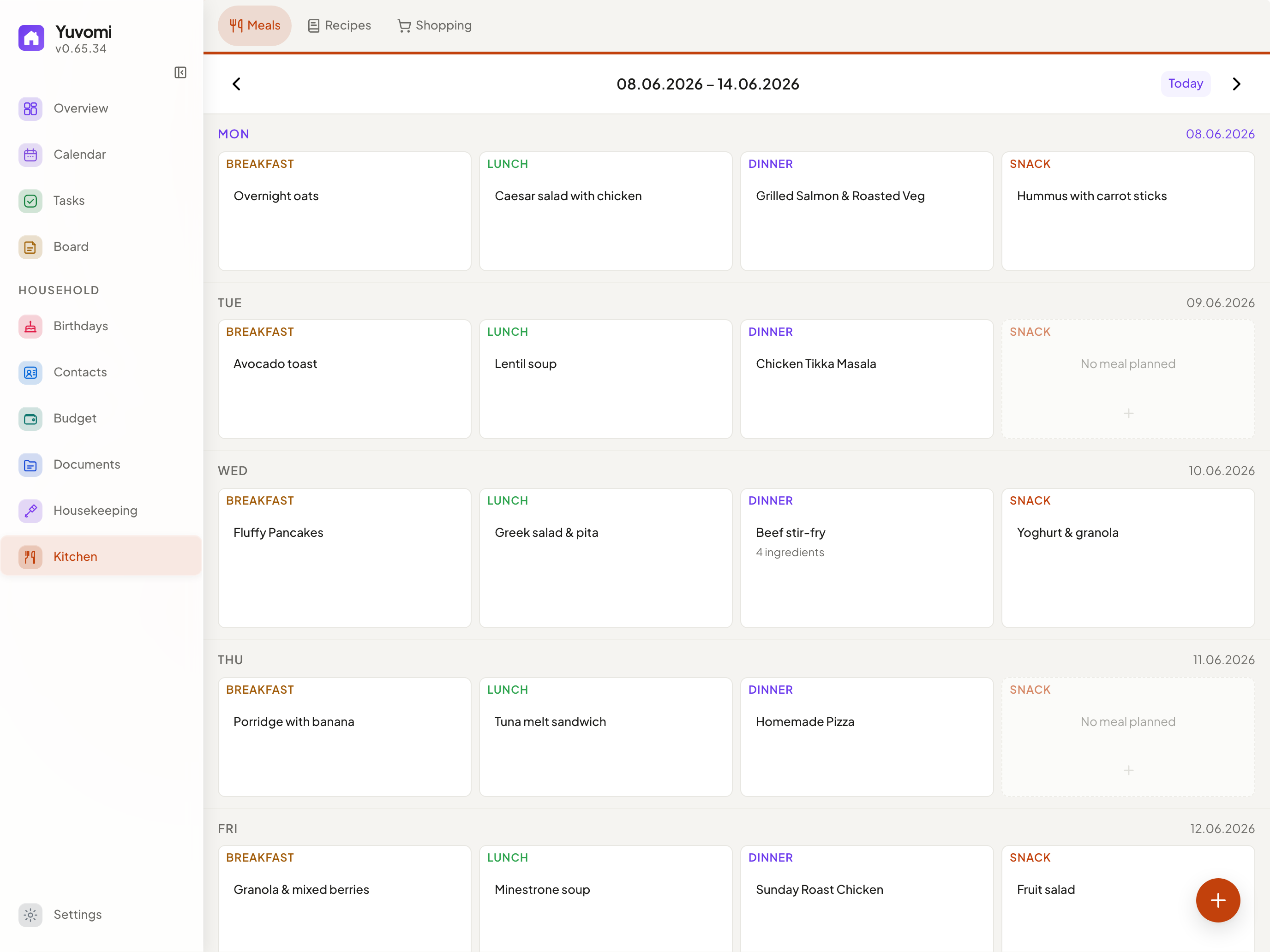
Every meal of the week, planned in one place. Breakfast to snacks, dragged into place and there for everyone in the house.
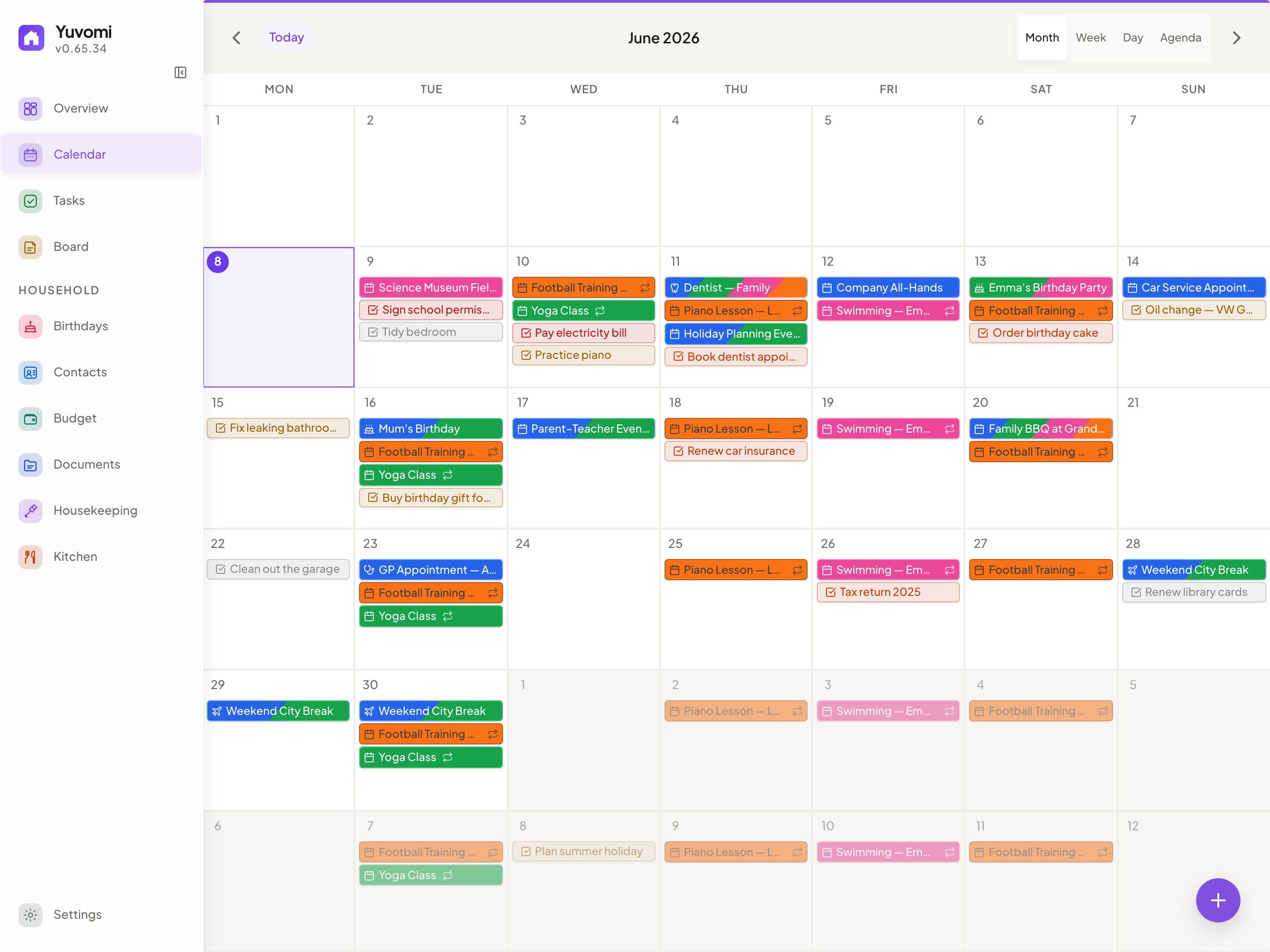
Google, iCloud and Nextcloud, finally in one calendar. Two-way sync, so an appointment added here lands on every phone in the house.
Many apps, one place.
Each with its own account and its own copy of your data on someone else’s server - or one place on yours. Every line here is built and shipping today.
- a to-do & task appis replaced byTasks
- a family calendar appis replaced byCalendar
- a meal planner & recipe appis replaced byMeals & Recipes
- a grocery-list appis replaced byShopping
- a budgeting & cost-splitting appis replaced byBudget
- a document manageris replaced byDocuments
There's a calmer way. Self-hosted, and yours.
The modules talk to each other
This is the part a folder full of separate apps cannot do. What happens in one module shows up where you need it, without anyone re-typing it.
-
Meal plan for the week Ingredients on the shopping list
One import sends every ingredient from the week's plan to the shared list, sorted by aisle, with the next seven days pre-selected. Nobody transcribes a recipe into a notes app again.
-
A chore gets ticked off Points land on your kid's balance
Any task can carry points. They go to whoever did it - the assignee, or the person picked when it is ticked off - and buy rewards from a catalog you control.
-
A receipt gets filed It’s attached to the expense
Attach it to the budget entry from the documents you already keep, or upload it on the spot. Filed once, findable from both sides.
-
The last jar goes out of the pantry One tap puts it on the shopping list
Pantry keeps amounts and best-before dates, and reminds you before something expires. What runs low or runs out goes onto the shared list from its row, and buying it books it back into stock. Household of five or household of one, the loop is the same.

On the kitchen wall, in every pocket, for every age.
Everyone in the house gets their own login from a link and the app on their phone. A terminal, if needed at all, is only for whoever sets it up.
-
The tablet on the kitchen wall
Wall mode shows today’s plan and who is up, readable across the room. The tablet has an account of its own: tap a task, pick who did it, and the points go to them.
-
The app on every phone
It goes on the home screen straight from the browser, no app store. Reminders arrive as notifications even while it is closed (your server needs HTTPS for that), and the last shopping list you opened stays readable without signal.
-
An invite, and just the right access
An admin sends a link and the new member picks their own password; a child without a phone gets an account created directly. Per family role, each module is full, read only or not at all.
Everything your household needs
Grouped the way the app itself groups them. Anything your household does not need, an admin switches off for everyone, and it disappears from the menu.
Plan
Everyone knows what needs doing.
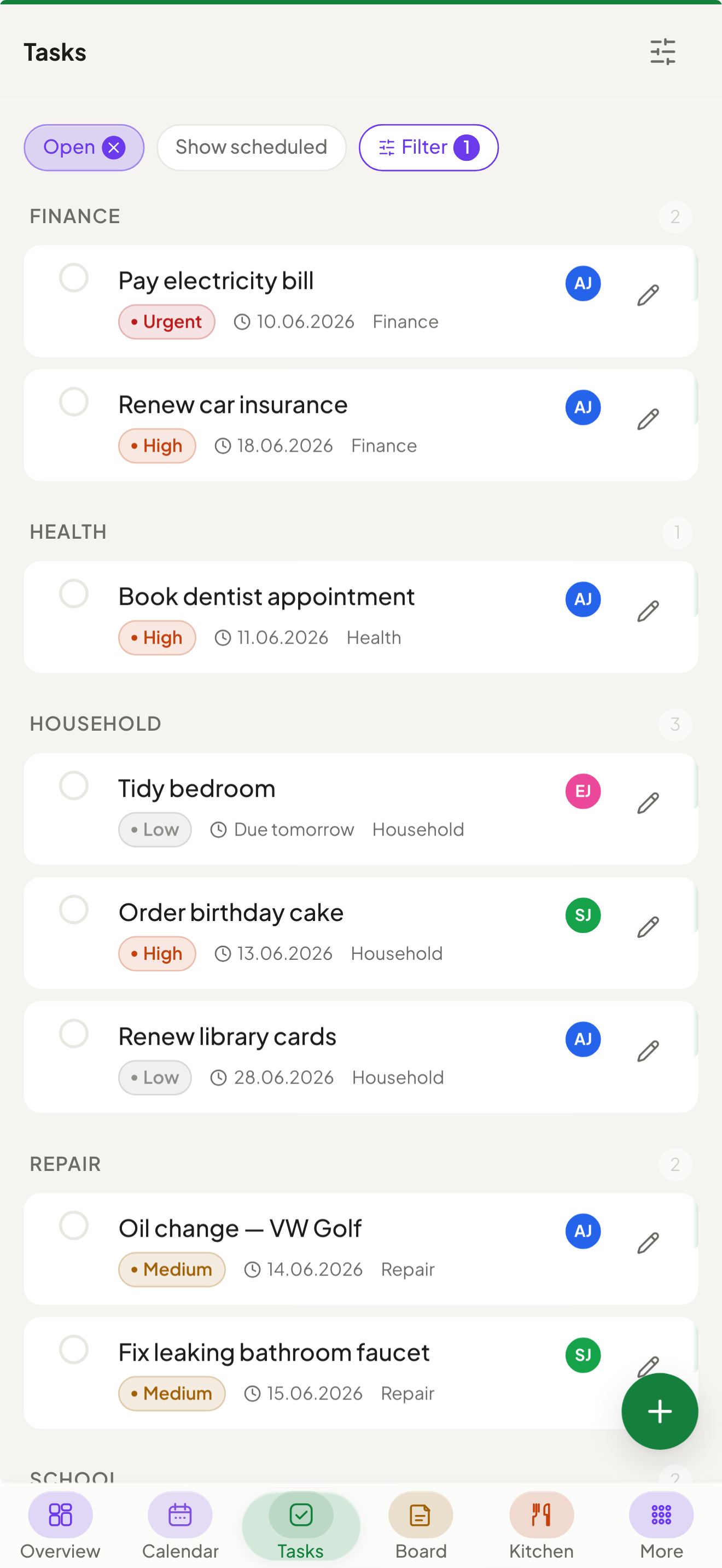
Shared tasks with deadlines, priorities, subtasks, tags and recurring schedules, assignable to several family members at once.
- Kanban board with one-tap status changes
- Multi-member assignment with stacked avatars
- Optional two-way sync with CalDAV reminder lists
- Lock a task so only its creator and admins can change it
- A history of what was completed, by day and by member
Calendar
Two-way sync with Google and CalDAV, one-way push to Outlook.com via Microsoft Graph, public ICS subscriptions, recurring events, holiday overlays and per-event visibility.
Rewards
Points on tasks go to whoever did it, with a configurable default for new tasks, a parent-approved catalog, an auditable ledger and pocket money per child.
Notes
Colored Markdown sticky notes for recipes, memos and quick reminders, sorted into personal or household categories, with checklists you tick off by tapping them.
Schedule
Rotating shifts and fixed weekly timetables, with changes for single days and an explicit day off. The calendar shows them as a layer of their own, so changing a pattern never leaves old appointments behind. Off by default; households turn it on.
Household
Dinner sorted before anyone asks.
A weekly drag-and-drop planner with repeating meals and ingredient lists that export straight to the shopping list in one click.
- Drag-and-drop weekly planner with repeats
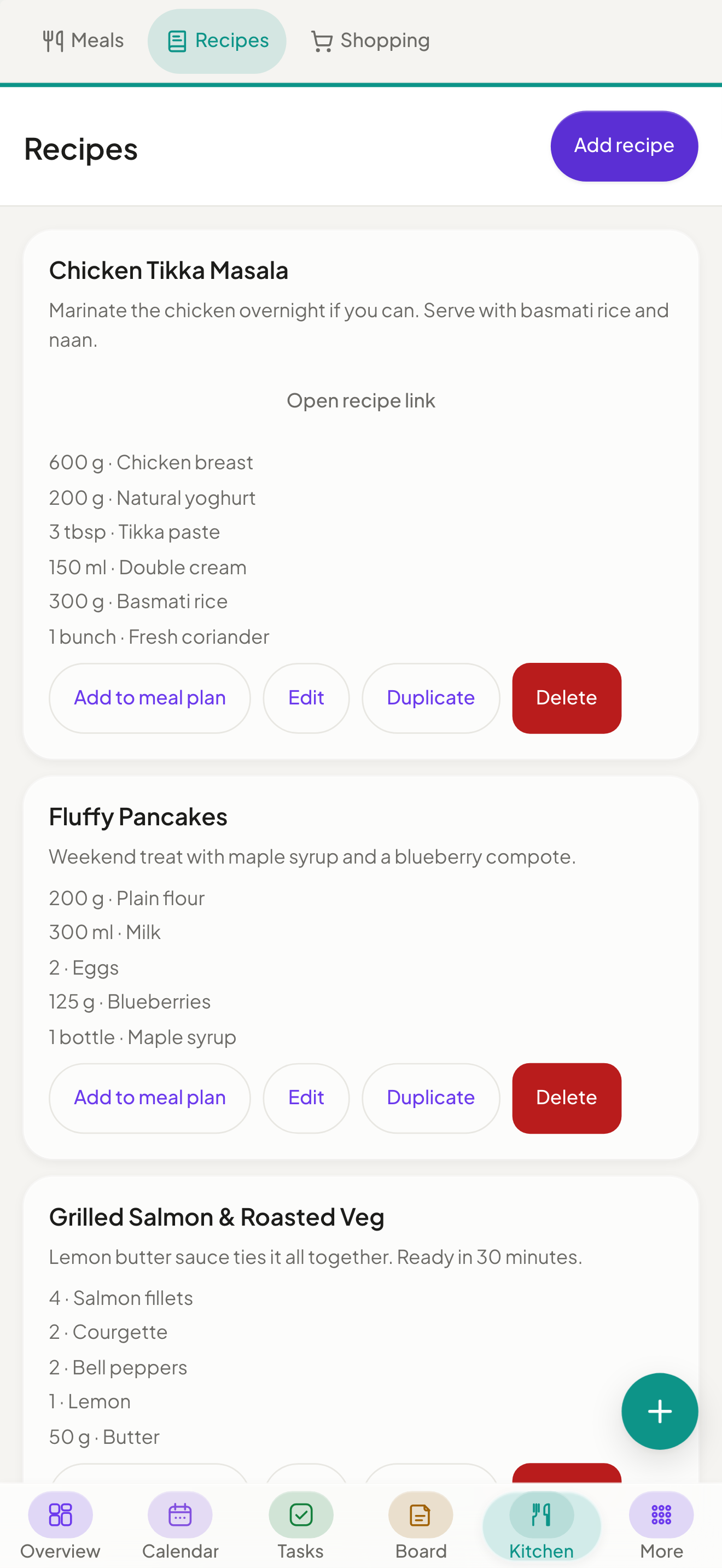
- Reusable recipes you can scale & duplicate
- A shared shopping list, sorted by aisle and updating live
Recipes
Create, duplicate and scale reusable recipes, then pre-fill meal slots or send the ingredients to a shopping list. A self-hosted Mealie or Tandoor instance can be mirrored read-only.
Shopping
Collaborative lists grouped by aisle and ordered to match your shop, with swipe gestures and an import from the meal plan.
Pantry
What is actually in the house: amount, storage location and best-before date, with expiry and low-stock filters, and a two-way handover with the shopping list.
Housekeeping
Manage household staff: schedules, check-in/out, daily or hourly billing, chores and supplies.
Waste collection
Weekly, monthly or nth-weekday pickup rhythms, or a municipal ICS calendar imported once or subscribed by URL, with per-occurrence moves and skips, personal reminders, a Dashboard widget and a switchable Calendar layer. Off by default; households turn it on.
Documents
Family files with previews, folders, visibility controls and bulk actions. Storage on a local folder, WebDAV or Google Drive; Paperless-ngx and Papra optional.
Inventory
What you own: brand, model, serial number, storage location, purchase price, warranty and condition, with linked receipts and bookings. Off by default; households turn it on.
People
Health that stays in the family.
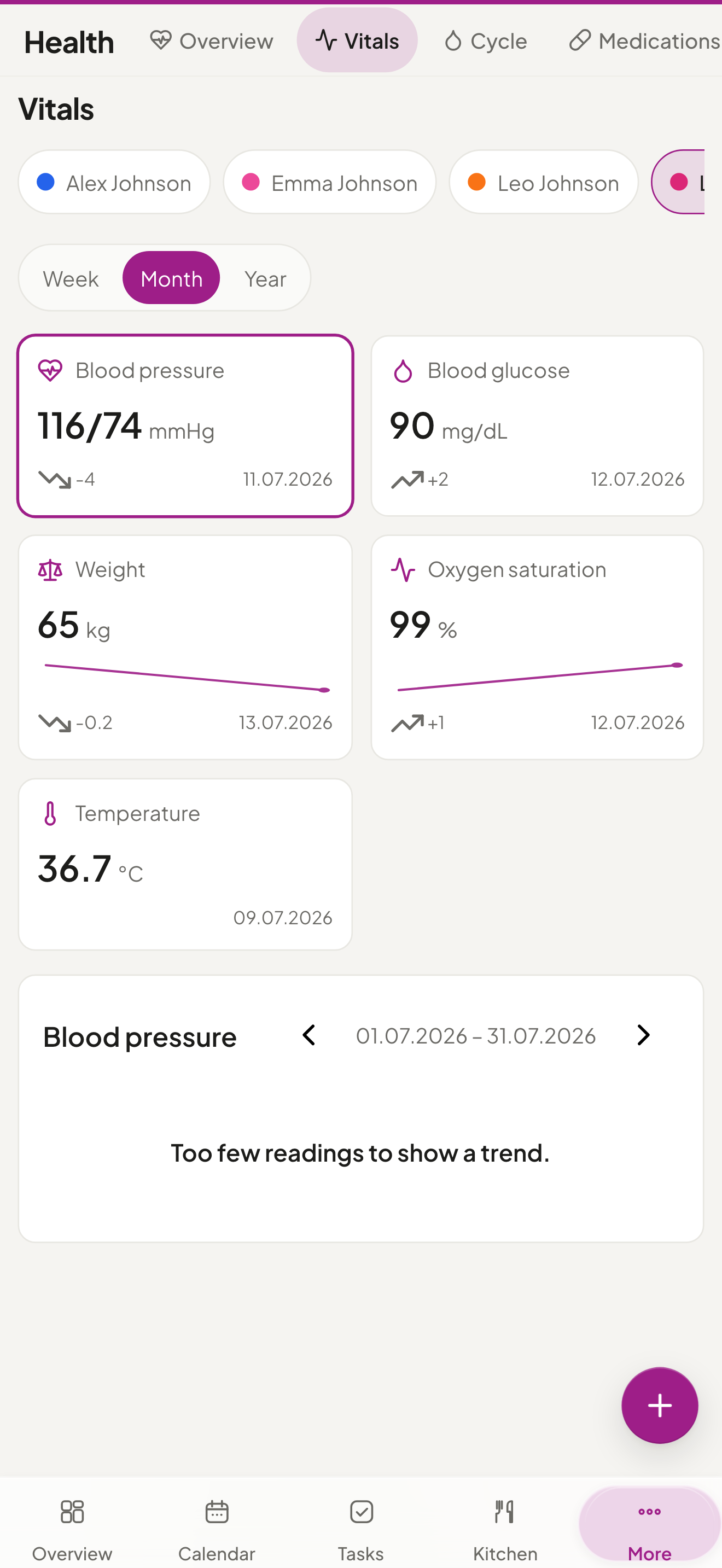
Vitals, medications, preventive care, lab results, activity, cycles, fasting and nutrition, tracked per member, private by default, and stored only on your server.
- Cycle ring with period & fertile-window predictions
- Medication reminders with refill alerts
- Per-entry visibility: private or shared
- Parents can record a child’s fever and medication
Contacts
A shared contact directory with CardDAV sync and vCard import/export.
Birthdays
Birthday tracker with optional name days, automatic annual calendar events, age display and custom reminders.
Finance
No surprise at the end of the month.
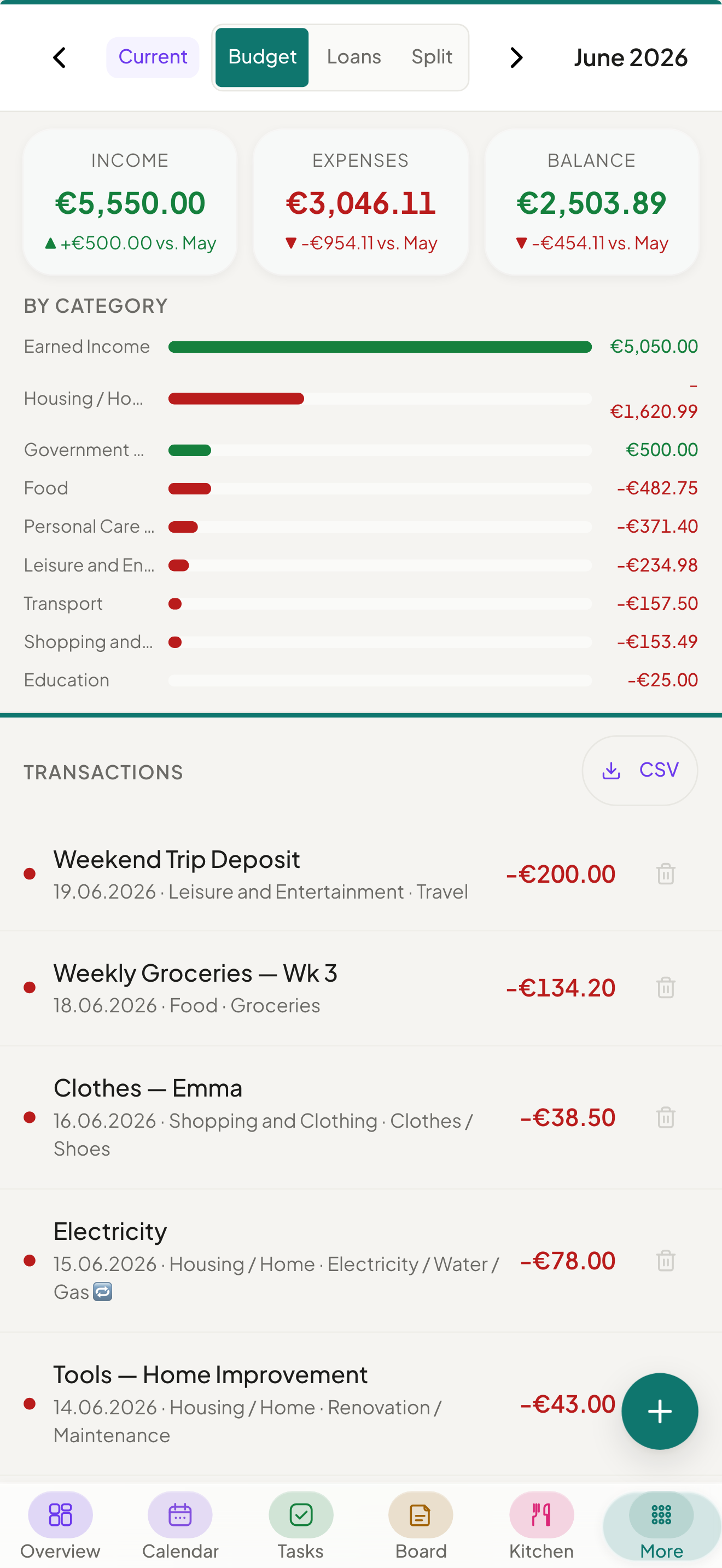
Track who spent what, split shared costs automatically, and see exactly where the money goes.
- 58 currencies, recurring entries, weekly/monthly/yearly statistics, monthly budgets & savings goals
- Subscription tracker with renewals, budgets & alerts
- Shared costs for household, trips and events, with automatic debt simplification
- Share an entry's amount while its title and category stay private
Settings
Family
Member profiles with roles, photos and contact details, kept in sync with Contacts and Birthdays.
Reminders
Reminders on tasks, events, shifts, subscription renewals, warranties, best-before dates and waste pickups, with an in-app badge, opt-in push notifications and household Gotify, ntfy, webhook or email channels.
API tokens
Bearer and X-API-Key tokens against a documented OpenAPI 3.1 spec, plus an MCP endpoint at /mcp that lets a client like Claude Desktop drive the API in plain language.
Backup
Scheduled backups with optional WebDAV upload (Nextcloud, ownCloud, Hetzner, etc.). Every restore saves the current state first, and a backup from another installation restores in the browser, no shell needed.
Not a photo library, password manager or media server - what you already run can stay. Calendars and contacts sync both ways over CalDAV and CardDAV, documents can live on WebDAV or Google Drive, and the API and its MCP endpoint connect the rest.
The questions worth asking first
- What if this project stops?
- Nothing changes on your machine. It is MIT-licensed and self-hosted, there is no server of ours anywhere in the path, and out of the box the only thing that leaves your machine is a version check against the GitHub releases API. The container you already pulled keeps running exactly as it does today, with or without us.
- What if I want my data somewhere else?
- Copying one file is the whole export. Everything lives in a single SQLite file on your own disk, unless you moved documents to a folder, WebDAV or Google Drive; those files need their own backup. Scheduled backups write a restorable archive on top of that, and the documented API plus the MCP endpoint pull anything out in whatever shape you need.
- What if I lose the encryption key?
- Then the database is gone, and we cannot help you. That is the honest answer: SQLCipher has no recovery path and no back door, which is the entire point of it. Store the key the way you store the ones that matter. Encryption is optional; if you would rather not carry that risk, leave it off and the file stays readable.
- How safe is access from outside?
- Every account can add a second factor, and an admin can require it for the whole household. Sign-in then asks for a code from an authenticator app (TOTP), with recovery codes as the way back. New members join through an invite link and pick their own password. With single sign-on through an OIDC provider, password login can be switched off for the household, and a lost phone is signed out from any of your other devices.
Runs on your hardware
A Docker or Podman container that drops onto any home server or NAS. Or install it in a couple of clicks from your platform's app store.
Docker / Podman
Pre-built image, one compose command - or rootless with Podman on RHEL, Fedora and CentOS Stream.
Proxmox
A Debian LXC with nesting=1, or a plain VM, running the Docker path.
TrueNAS
In the SCALE Community Apps catalog: install from the web UI, no terminal.
Guide 1-clickUmbrel
Available in the Umbrel App Store; everything stays on your Umbrel.
Guide 1-clickUnraid
A Community Apps template: add it straight from the Unraid Apps tab.
GuideTwo more routes need no platform of their own: the guided web installer and installing from source.
Now open .env and replace both REPLACE_WITH_… placeholders with the two values you just generated. Yuvomi does not start while a placeholder is still in there. Keep a copy of the key with your other passwords. To run without encryption, clear the DB_ENCRYPTION_KEY line instead.
Then open http://localhost:3000. The first visit walks you through creating your admin account. Prefer a guided setup? The step-by-step installer sets up SSO and backups and prepares Yuvomi for your HTTPS reverse proxy.
Set it up once. Then the whole family plans with it.
After that it belongs to the household: on every phone and on the kitchen wall, with no account with us, no subscription and nothing of ours in between.